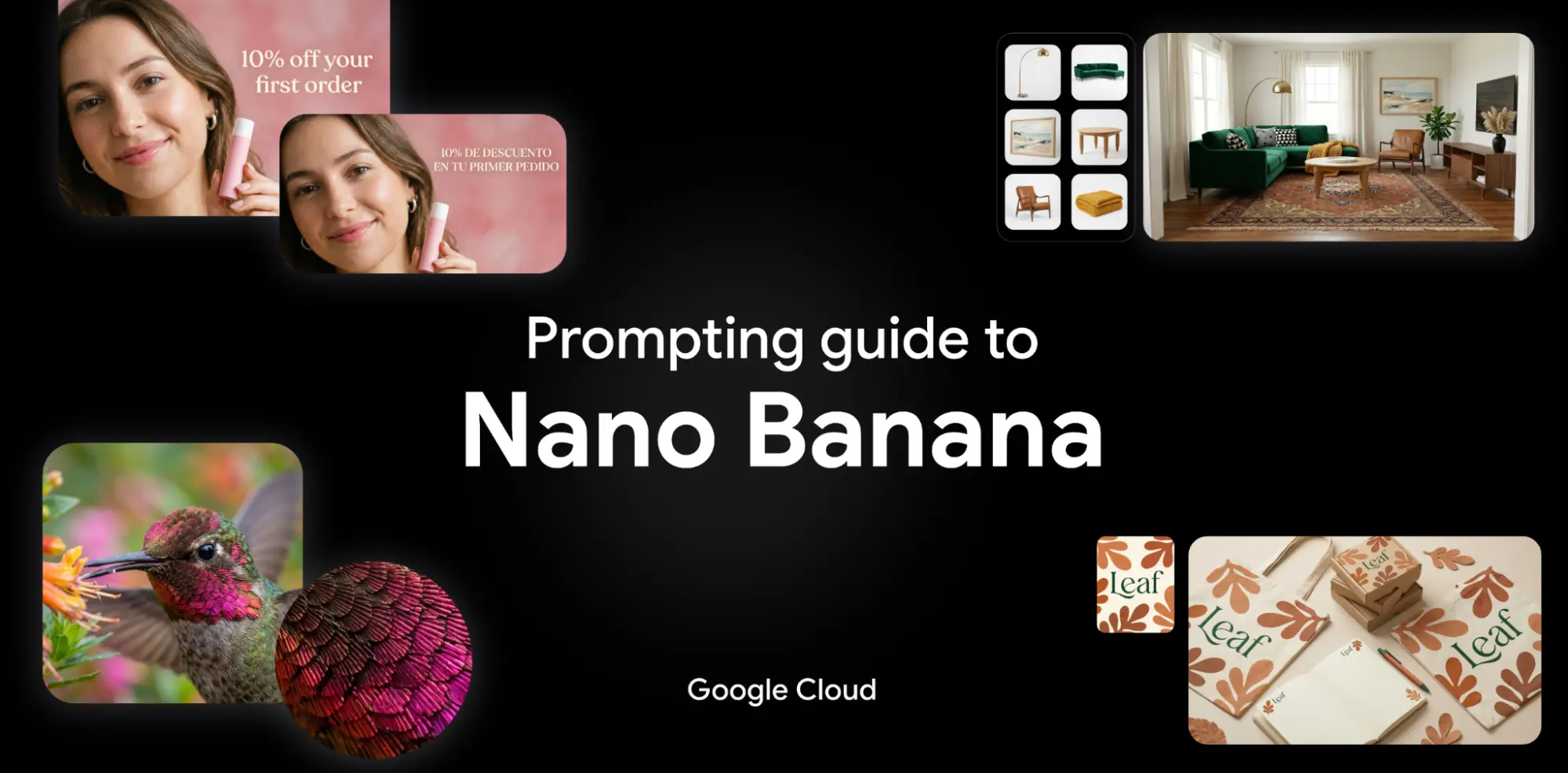
Why Prompting Matters
Creating AI images isn't just about typing a few words and hoping for the best. The difference between a mediocre result and a stunning one often comes down to how you write your prompt.
Nano Banana models (including Nano Banana 2 and Nano Banana Pro) are built on the Gemini 3 family. Unlike earlier image models that simply match keywords to visual patterns, Nano Banana applies deep reasoning to fully understand your intent before generating an image. This means better prompts lead to dramatically better results.
We've spent weeks testing these models across every scenario we could think of — product shots, editorial photography, poster design, multilingual text rendering, and more. This guide distills everything we've learned into actionable techniques you can use right now on HeyMarmot.
Quick Specs: What Can Nano Banana Do?
Before diving into prompting, it helps to know the model's capabilities:
| Feature | Nano Banana 2 | Nano Banana Pro |
|---|---|---|
| Resolution | 0.5K / 1K / 2K / 4K | 1K / 2K / 4K |
| Aspect Ratios | 1:1, 3:4, 4:3, 9:16, 16:9, 21:9, and more | 1:1, 3:4, 4:3, 9:16, 16:9, 21:9 |
| Reference Images | Up to 14 images per prompt | Up to 14 images per prompt |
| Text Rendering | Advanced, 10+ languages | Advanced, 10+ languages |
| Real-time Web Data | Yes | Yes |
| Output | Text + Images | Text + Images |
Both models support PNG, JPEG, WebP, HEIC, and HEIF input formats. Generated images include C2PA Content Credentials and SynthID watermarks for safety.
Four Rules for Better Prompts
Before we get into specific frameworks, keep these principles in mind:
1. Be specific, not vague. "A dog in a park" will give you a generic result. "A golden retriever sitting on a bench in a Japanese cherry blossom garden at sunset" tells the model exactly what you want.
2. Say what you want, not what you don't want. Describe the scene positively. Instead of "a street with no cars," write "an empty cobblestone street." Nano Banana responds better to affirmative descriptions.
3. Use photography and film language. Terms like "low angle," "shallow depth of field," "aerial view," and "golden hour" give the model precise visual direction.
4. Iterate conversationally. Don't try to get the perfect image in one shot. Generate a first version, then refine it with follow-up prompts — Nano Banana is designed for multi-turn conversations.
Five Prompting Frameworks
1. Text-to-Image Generation
When starting from scratch, think of yourself as a director setting up a scene. A flat list of keywords won't work — describe the scene as a narrative.
Formula: [Subject] + [Action] + [Location/Context] + [Composition] + [Style]
Example:
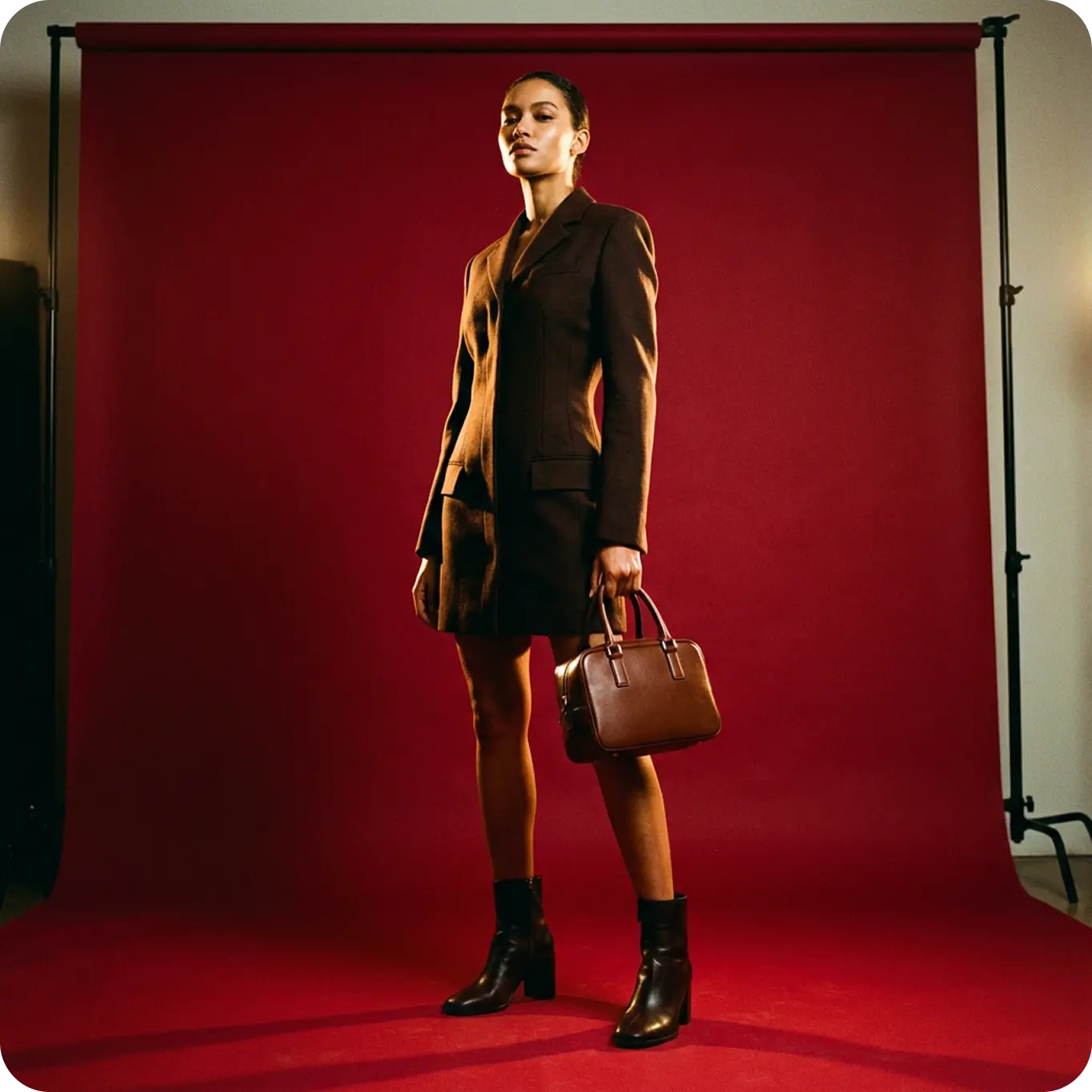
A striking fashion model wearing a tailored brown dress, sleek boots, and holding a structured handbag. Posing with a confident, statuesque stance, slightly turned. A seamless, deep cherry red studio backdrop. Medium-full shot, center-framed. Fashion magazine editorial style, shot on medium-format analog film, pronounced grain, high saturation, cinematic lighting.
Each element serves a purpose: the subject grounds the image, the action adds life, the context sets the scene, the composition controls framing, and the style defines the overall aesthetic.
2. Multimodal Generation (With Reference Images)
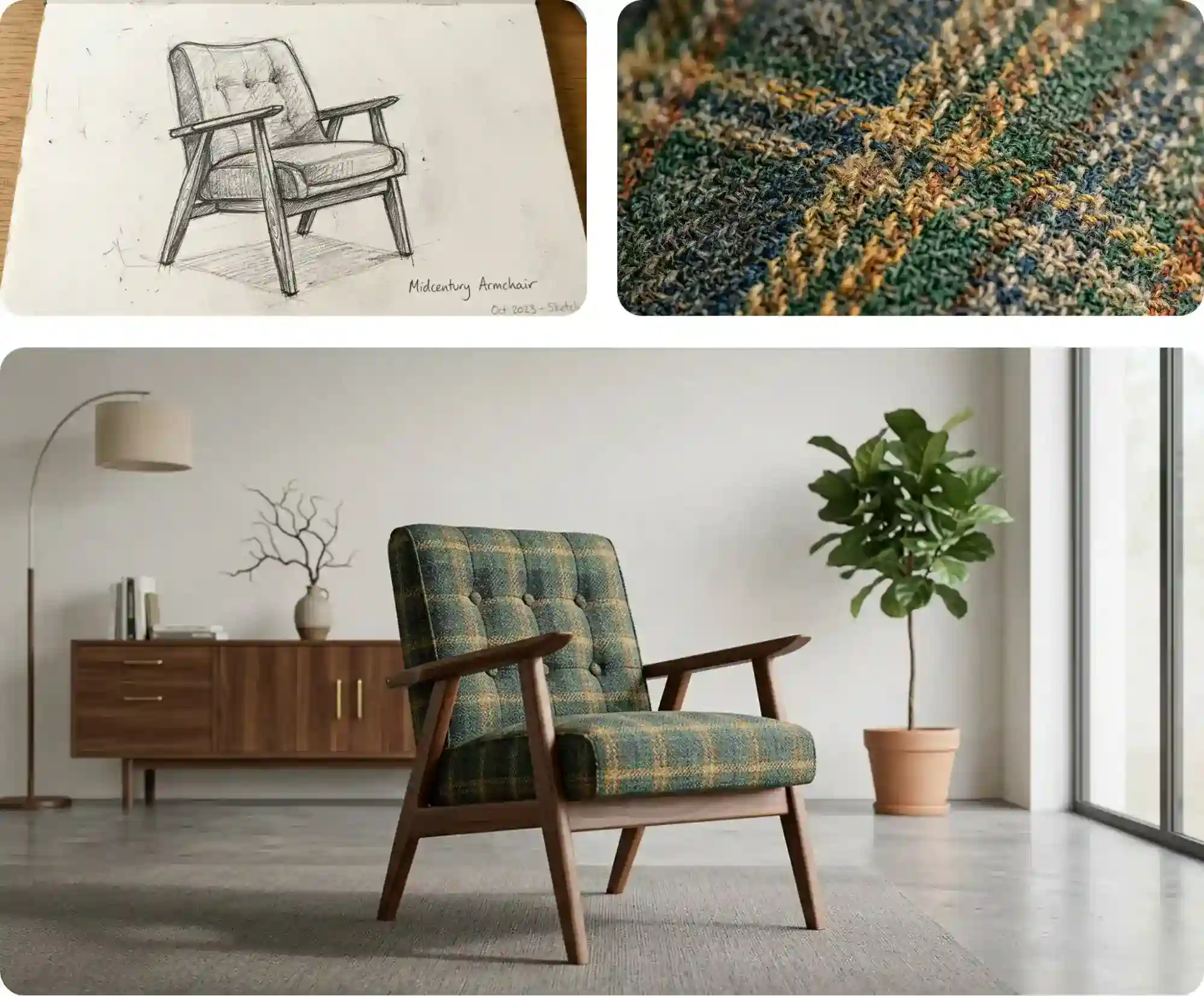
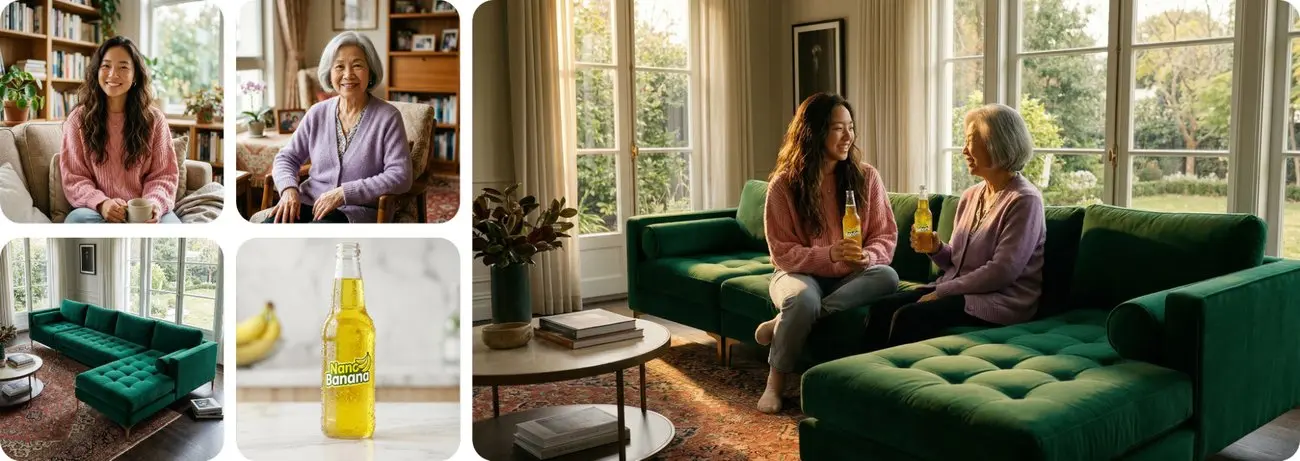
One of Nano Banana's most powerful features is combining multiple reference images to guide the output. Upload a sketch, a texture sample, a character photo — up to 14 references in a single prompt.
Formula: [Reference Images] + [Relationship Instruction] + [New Scenario]
Example:
Using the attached napkin sketch as the structure and the attached fabric sample as the texture, transform this into a high-fidelity 3D armchair render. Place it in a sun-drenched, minimalist living room.
This is especially useful for:
- Maintaining character consistency across multiple images
- Merging a product into a new environment
- Translating a rough concept sketch into a polished render
3. Image Editing
When editing an existing image, your mindset shifts. You already have a base — the prompt should focus on what changes and what stays the same.
Conversational editing: Generate an image first, then tweak it with follow-ups like "Remove the man from the photo" or "Change the sky to a dramatic sunset."
Pro tip: Be explicit about what should stay the same. "Keep the background and lighting exactly as they are, only change the subject's outfit to a red dress."
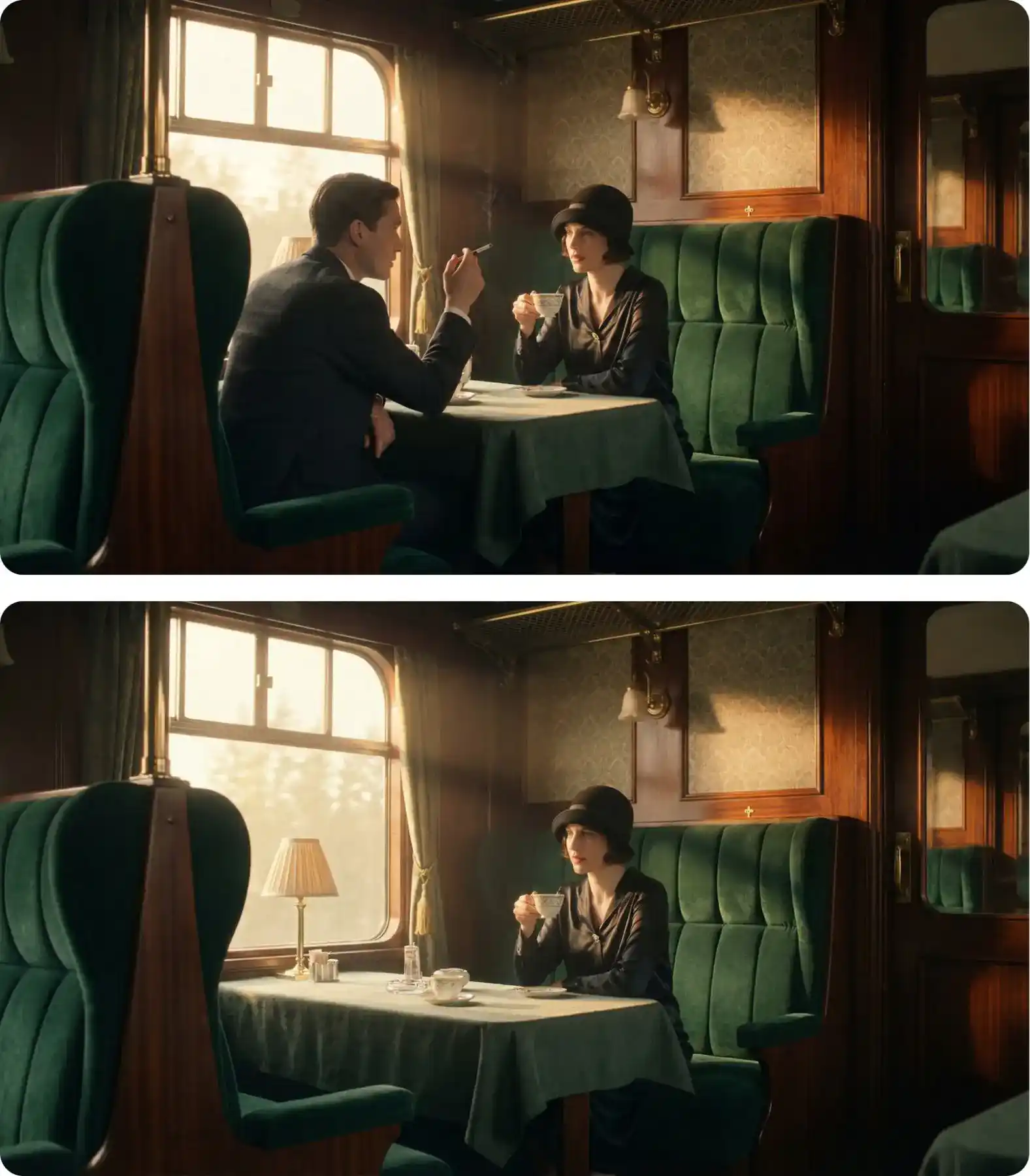
Composition transfer: Upload a base image alongside a new element and instruct the model to combine them — for example, placing a product into a lifestyle scene.
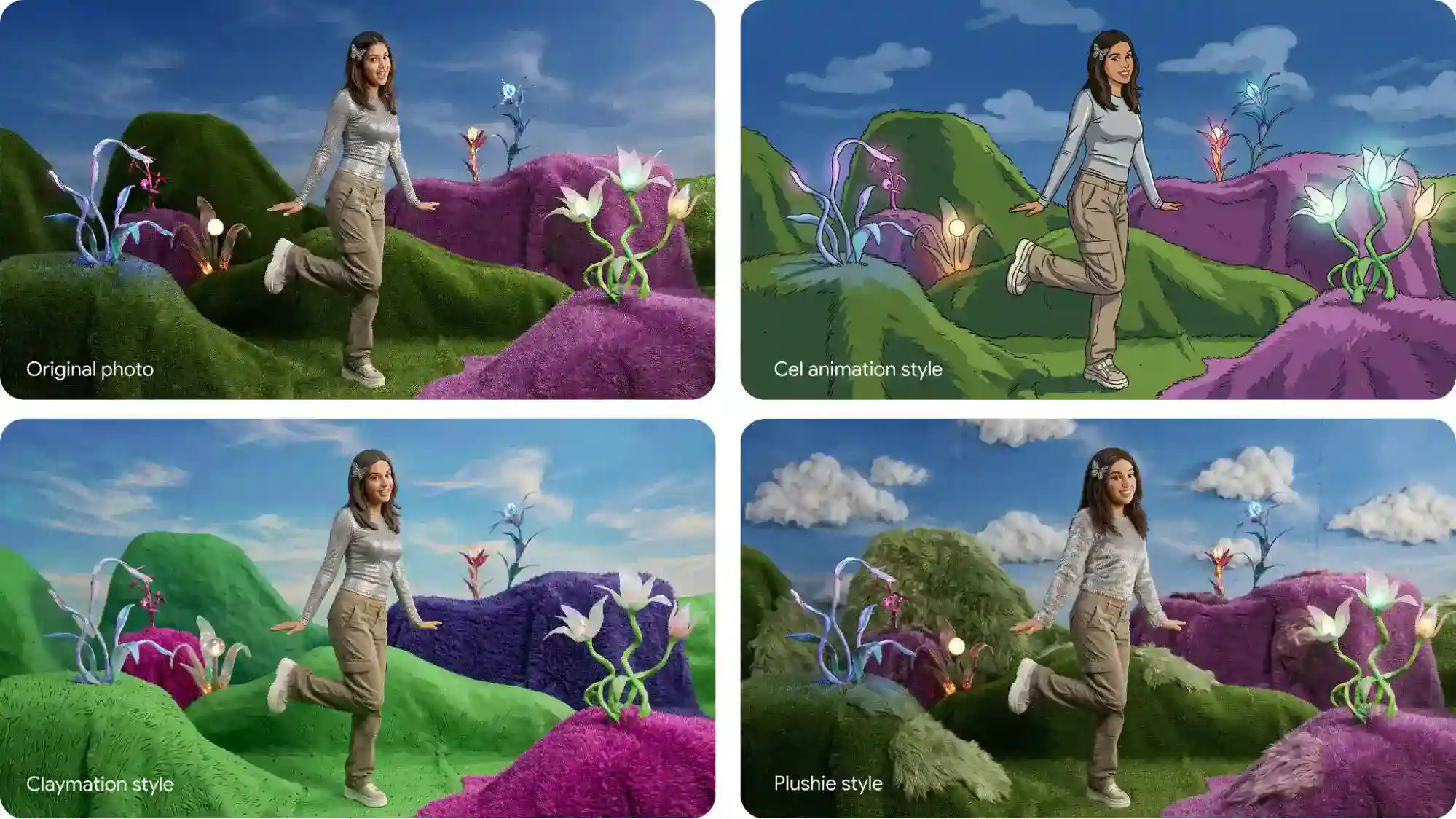
Style transfer: Upload a photo and ask the model to recreate its content in a different artistic style. "Recreate this city street scene in Van Gogh's brushstroke style."
4. Text Rendering & Localization
Nano Banana excels at rendering sharp, legible text in images — a historically weak point for AI image generators. It supports 10+ languages, making it invaluable for marketing materials.
Rules for great text rendering:
- Use quotes around the text you want rendered:
"Happy Birthday","URBAN EXPLORER" - Specify the font style: "bold, white, sans-serif font" or "Century Gothic 12px font"
- Translate and localize: Write your prompt in one language and specify a target language for the output text
Text-first technique: For complex typographic layouts, first ask Nano Banana to generate the text concepts in a conversation, then request an image using that text. This two-step approach dramatically improves text accuracy.
Example:
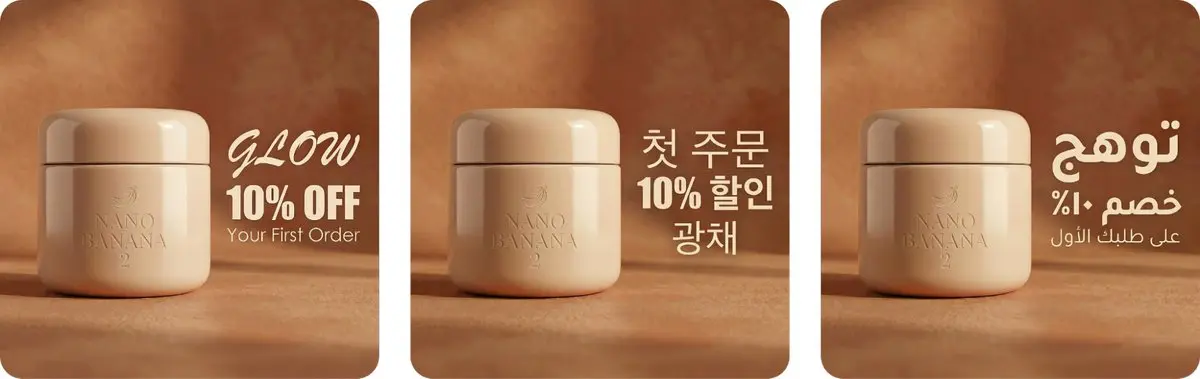
A high-end commercial beauty shot of a sleek face moisturizer jar on a warm studio background. Soft, radiant lighting. Next to the product, render three lines of text: the word "GLOW" in an elegant Brush Script font on top, "10% OFF" in a heavy Impact font in the middle, and "Your First Order" in thin Century Gothic font at the bottom. Then translate the text into Korean and Arabic.
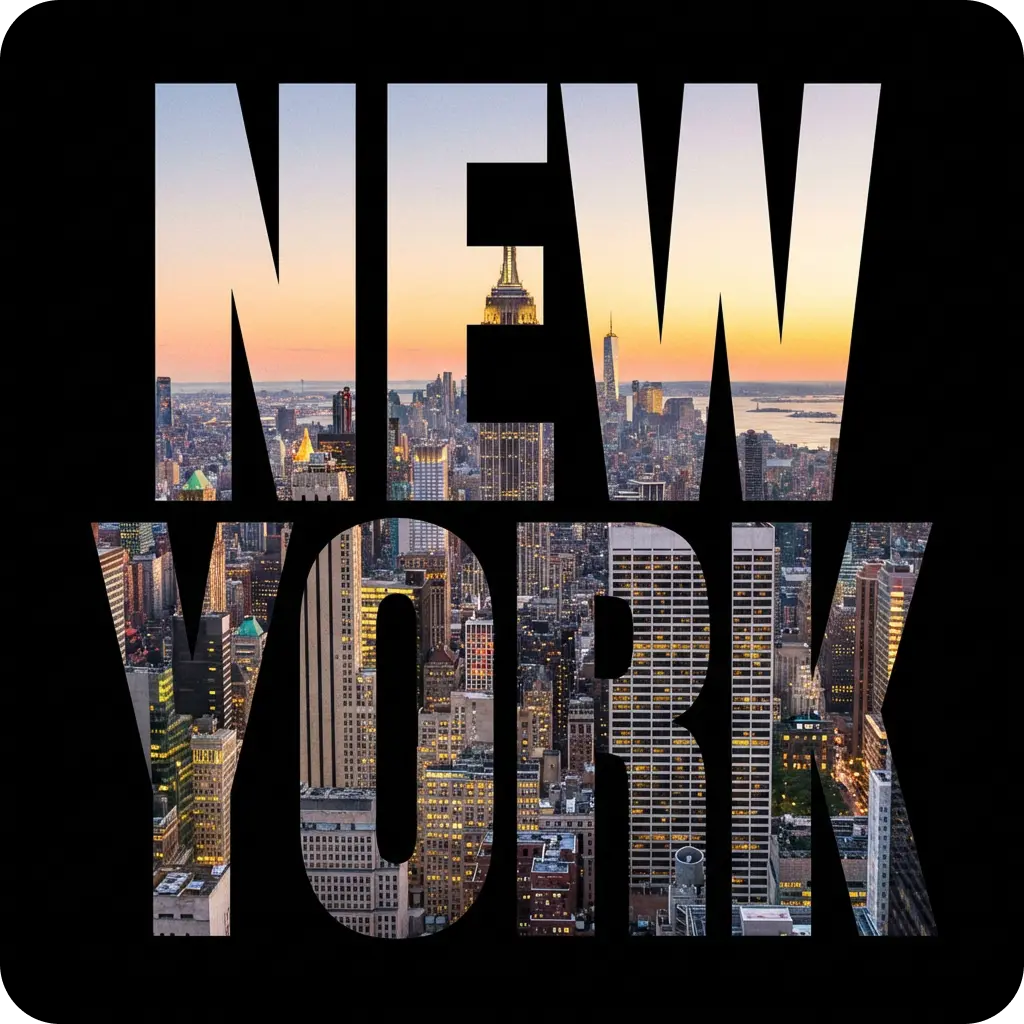
You can also create stunning typographic designs where text becomes the main visual element:
5. Prompting Like a Creative Director
To go from good to breathtaking, stop thinking in keywords and start directing the scene.
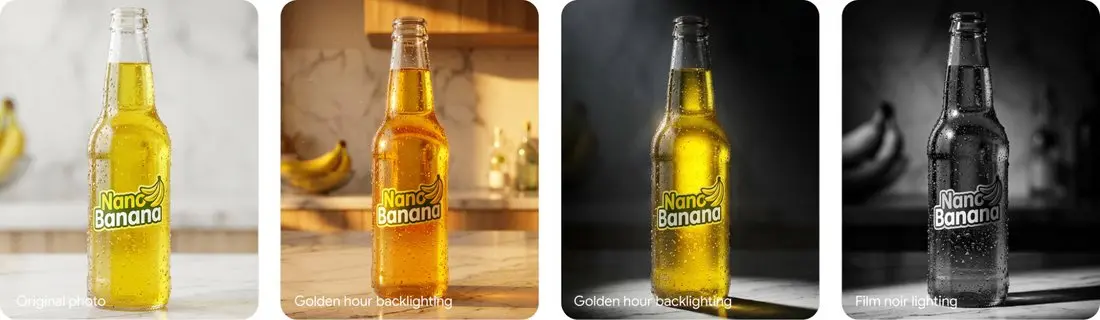
Design your lighting:
- Studio setups: "Three-point softbox lighting" for even product illumination
- Dramatic effects: "Chiaroscuro lighting with harsh, high contrast" or "Golden hour backlighting creating long shadows"
Choose your camera and lens:
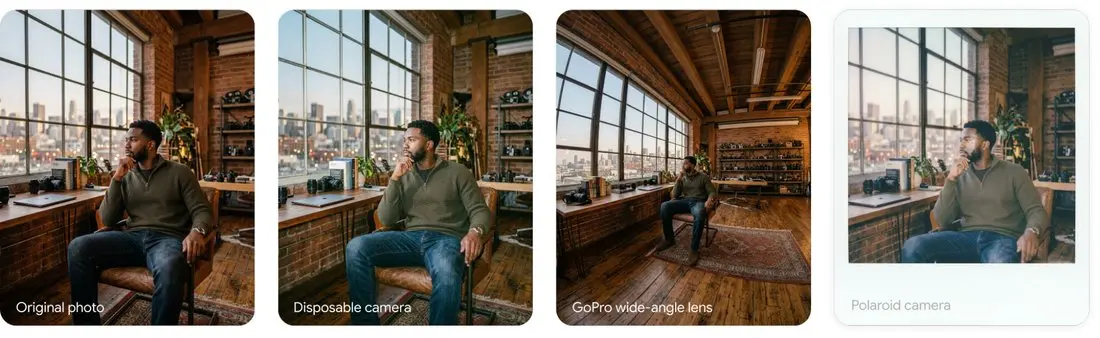
- Hardware matters: "Shot on GoPro" for immersive distortion, "Shot on Fujifilm" for authentic color science, "Cheap disposable camera" for a raw, nostalgic look
- Lens control: "Low-angle shot with shallow depth of field (f/1.8)" for portraits, "Wide-angle lens" for vast landscapes, "Macro lens" for extreme close-ups
Define color grading:
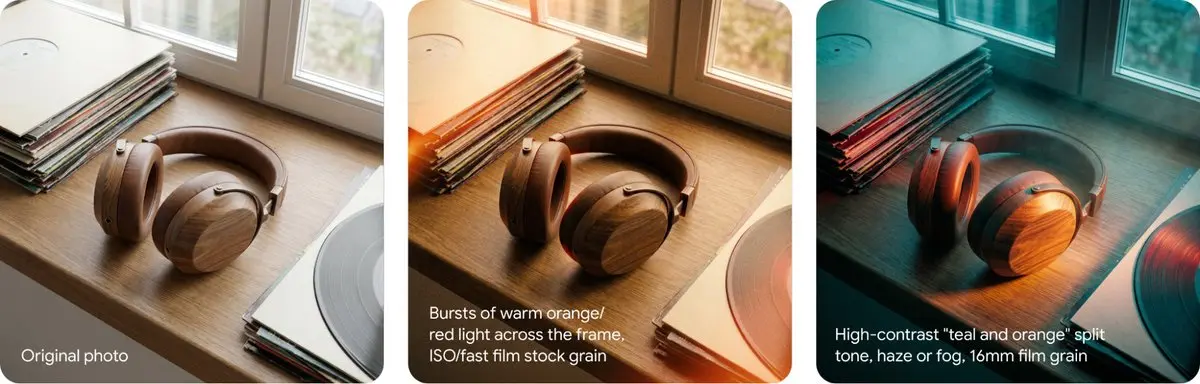
- Nostalgic: "Rendered on 1980s color film, slightly grainy"
- Modern moody: "Cinematic color grading with muted teal tones"
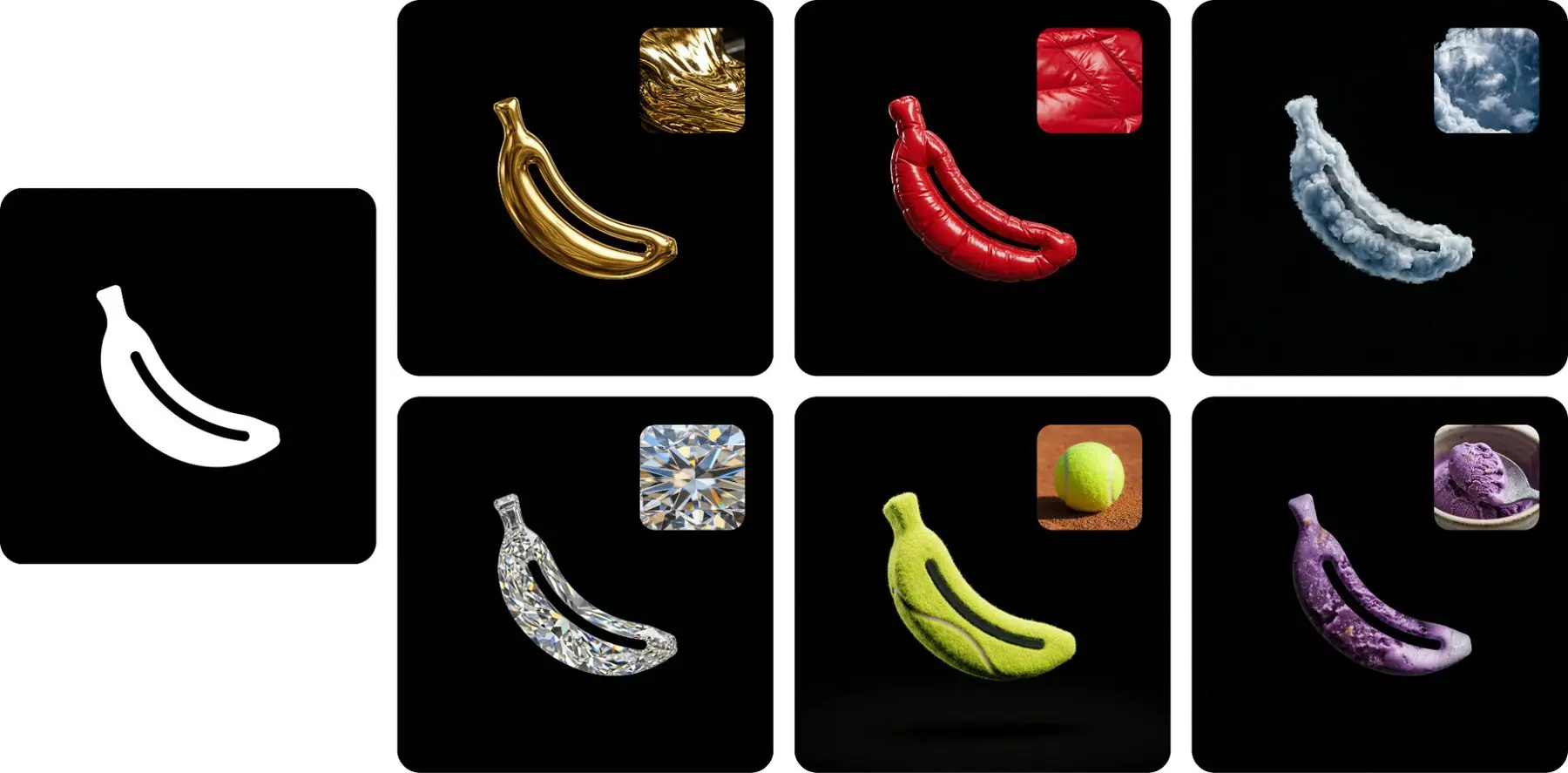
Emphasize materiality: Don't just say "suit jacket" — say "navy blue tweed suit jacket." Not "armor" but "ornate elven plate armor, etched with silver leaf patterns." For product mockups, specify surfaces: "minimalist ceramic coffee mug" or "brushed aluminum laptop."
Real-Time Web Search: A Unique Advantage
Nano Banana can pull real-time information from the web to inform image generation. Instead of describing a fictional scene, instruct the model to retrieve live data and visualize it.
Formula: [Search Request] + [Analytical Task] + [Visual Translation]
Example:
Search for the current weather in San Francisco. Use this data to modify the scene — if it's raining, make it grey and rainy. Visualize this as a miniature city-in-a-cup concept on a modern smartphone UI.
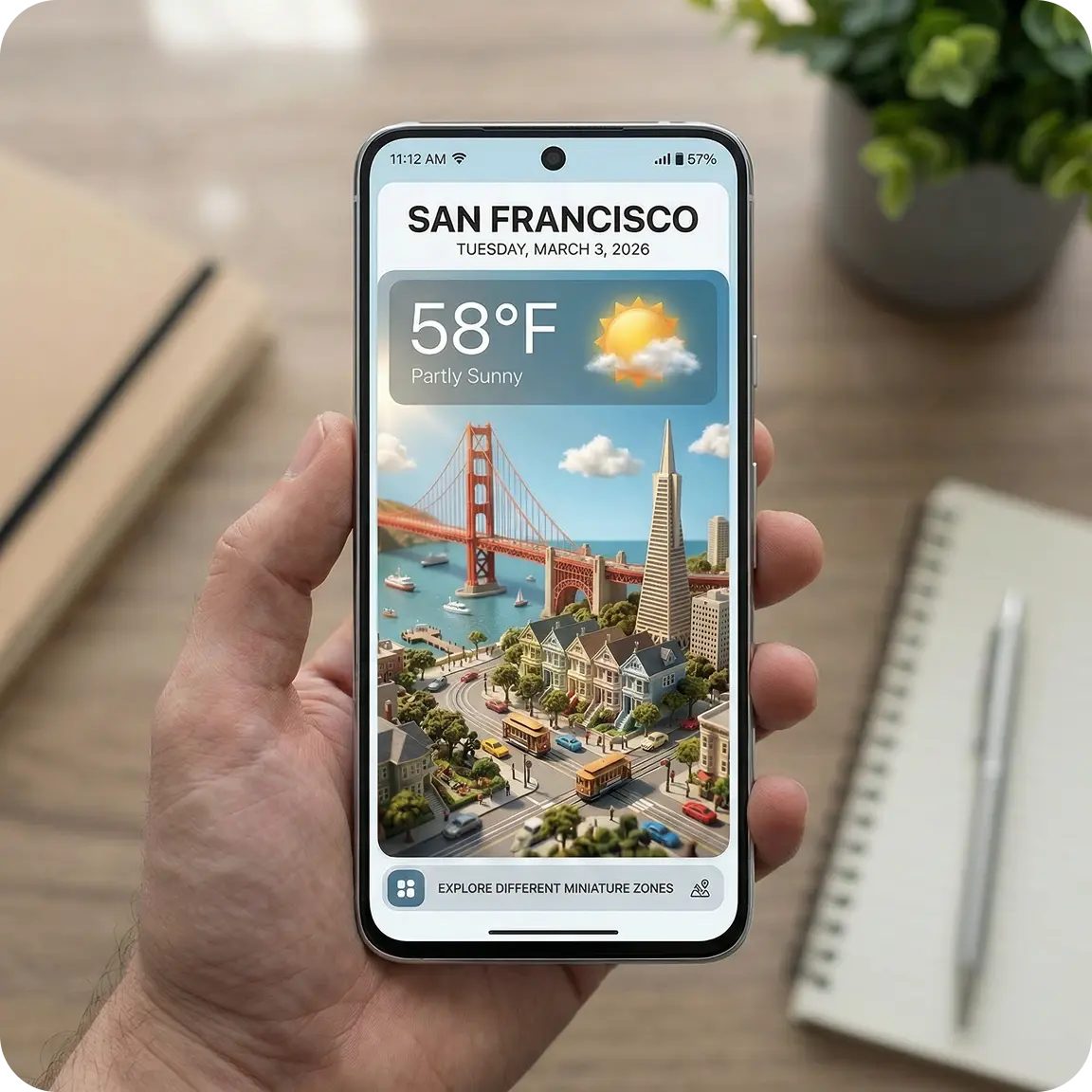
This capability opens up unique use cases: live data dashboards rendered as infographics, location-aware marketing visuals, and time-sensitive event graphics.
Combine Models for Full Creative Workflows
Nano Banana works best as part of a larger creative pipeline:
- Nano Banana + Text AI: Use Gemini or DeepSeek to brainstorm and refine your prompts before generating images
- Nano Banana + Veo: Create keyframes with Nano Banana, then use Veo to generate video sequences between them — perfect for storyboarding
- Nano Banana + Video + Audio: Generate visuals, create video animations, then add a soundtrack for complete multimedia projects
On HeyMarmot, you can access all these models from a single workspace, making it easy to chain them together for end-to-end creative production.
Get Started
The best way to learn is by doing. Head to HeyMarmot and start experimenting with Nano Banana. Pick one of the frameworks above, craft a prompt, and iterate from there.
A few starter prompts to try:
A cozy Japanese coffee shop interior at dawn, warm amber
lighting streaming through paper screens, a steaming latte
on a wooden counter. Shot on Fujifilm X-T5, f/2.0, soft
grain, warm color palette.
A modern tech product launch poster. Bold white text
"FUTURE IS NOW" on a gradient background shifting from
deep navy to electric purple. Minimalist, clean typography,
centered composition.
An aerial view of a winding river cutting through autumn
forests, vibrant red and gold foliage, morning mist rising
from the water. Wide-angle lens, 16:9, landscape
photography style.
Happy creating!