Nano Banana Pro Image Generator
Create studio-quality visuals with Nano Banana Pro, Google's Gemini 3 Pro Image model. Generate complex compositions, accurate multilingual text, high-fidelity product visuals, and images up to 4K online without managing an API key.
Exemples réels d’images IA
Parcourez des images générées sur HeyMarmot, étudiez les prompts et réutilisez-en un en un clic.

Create a digital smudge-paint style of the uploaded image. This is a very pop...

fragmented triptych portrait.

Casual Indoor Portrait

Draw an anime poster for the 2025 World Series: The Dodgers vs. Blue Jays, fe...
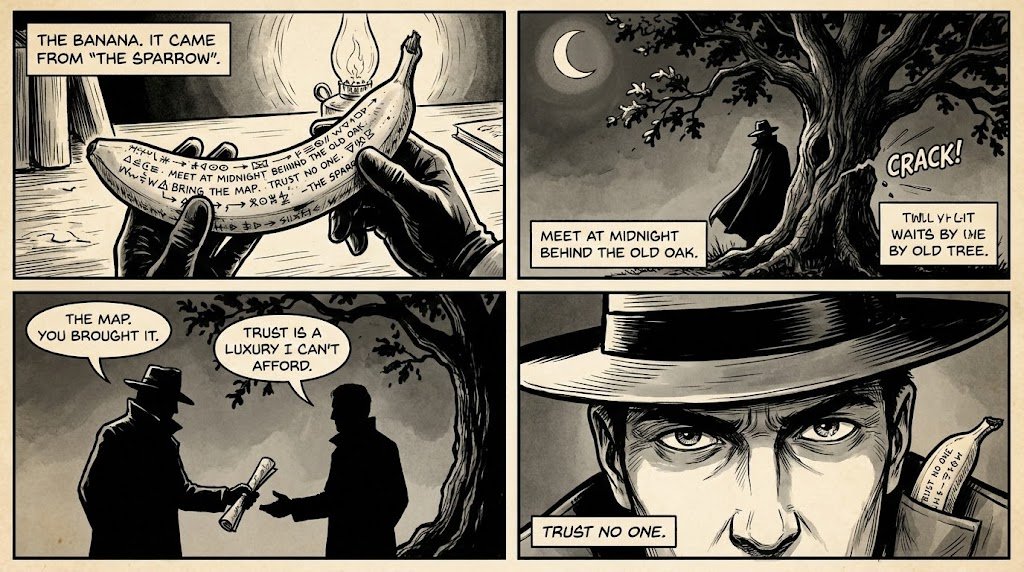
Create a visual in the style of a comic strip based on the secret message"
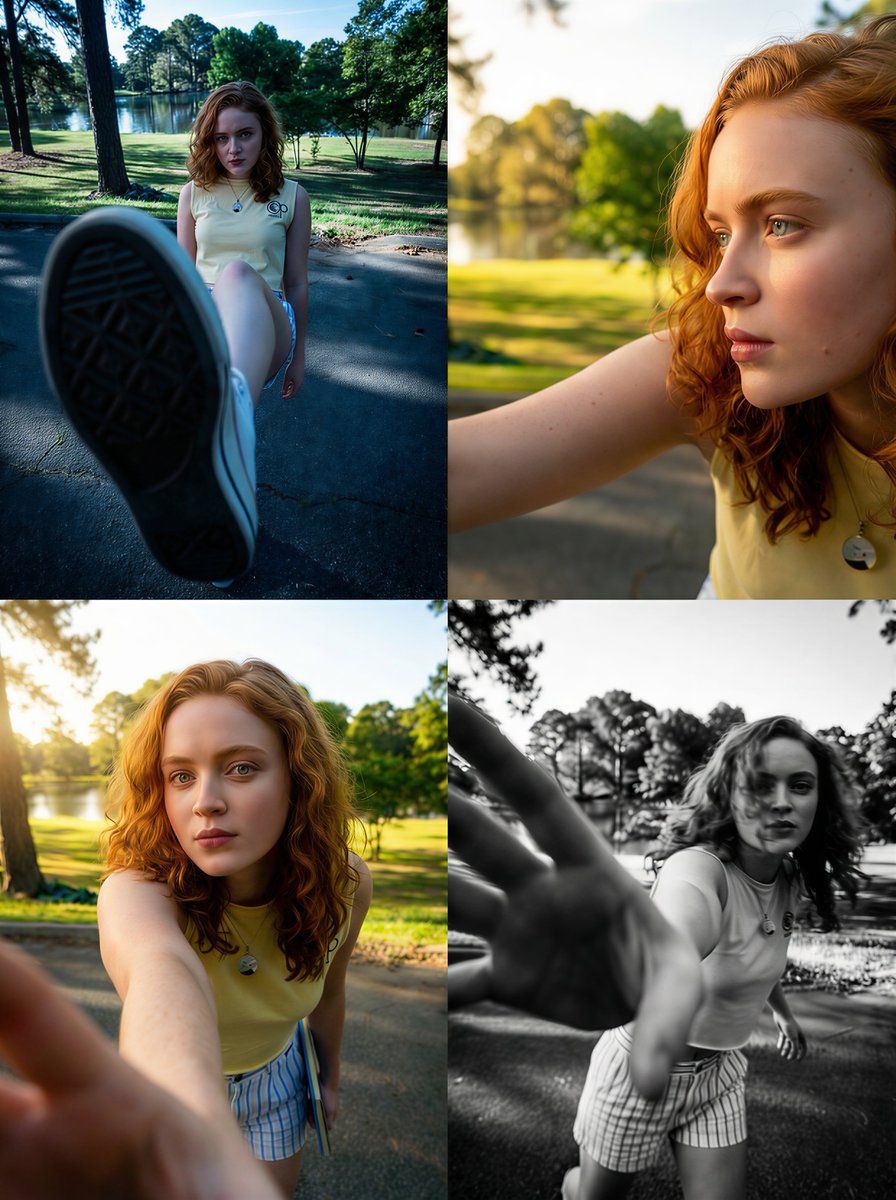
Sadie Sink Dramatic
Nano Banana Pro and More Top AI Image Models
Generate with Nano Banana Pro or switch to Nano Banana 2, GPT Image 2, Seedream, and Grok Imagine from the same workspace.



Why Create with Nano Banana Pro on HeyMarmot
Nano Banana Pro is built for demanding visual work, with stronger reasoning for complex layouts, more reliable text rendering, precise creative control, and 1K, 2K, or 4K output. Generate and refine in one browser workspace without managing a Gemini API key.
How to Create Images with Nano Banana Pro
Go from a detailed brief to a polished high-resolution image in three steps.
Write a precise prompt
Describe the composition, required text, style, lighting, and visual details.
Choose Nano Banana Pro
Nano Banana Pro is preselected. Set the aspect ratio and 1K, 2K, or 4K resolution.
Generate & refine
Generate the image, save the result, or continue iterating with a reference.
Nano Banana Pro vs Other AI Image Models
Compare Nano Banana Pro with Nano Banana 2, GPT Image 2, Seedream, and Grok Imagine to match quality, speed, and style to each project.
Nano Banana 2 Lite
Available for text-to-image and reference-based generation.
Nano Banana 2
Available for text-to-image and reference-based generation.
Nano Banana Pro
Available for text-to-image and reference-based generation.
GPT Image 2
Available for text-to-image and reference-based generation.
Seedream 5.0
Available for text-to-image and reference-based generation.
Seedream 4.5
Available for text-to-image and reference-based generation.
Grok Imagine
Available for text-to-image and reference-based generation.
Wan 2.7
Available for text-to-image and reference-based generation.
z-image
Available for text-to-image and reference-based generation.
Nano Banana Pro Use Cases
Use Nano Banana Pro for information-rich graphics, polished product mockups, multilingual campaigns, and detailed creative concepts.
Infographics & diagrams
Turn structured ideas into clear infographics, explainers, diagrams, and presentation-ready visuals.
Product mockups
Create high-fidelity product scenes, packaging concepts, and ecommerce campaign assets.
Brand campaigns
Build detailed posters, advertisements, storyboards, and launch graphics with consistent visual direction.
Text & localization
Generate legible text in multiple languages for menus, signs, posters, labels, and localized creatives.
A Practical Nano Banana Pro Workspace
HeyMarmot brings prompts, reference images, aspect ratios, resolutions, saved assets, and iteration history into one organized workflow.
Detailed prompt to image
Describe exact text, layout, materials, lighting, and camera direction in one prompt.
Model choice
Start with Nano Banana Pro and switch to other leading image models whenever needed.
Flexible sizes
Choose square, portrait, landscape, ultrawide, and up to 4K output options.
Reference image editing
Upload a reference to restyle, refine, or transform an existing visual.
Reusable asset library
Save Nano Banana Pro results and uploaded references for follow-up work.
Conversation history
Keep prompts, references, and generated results together while you iterate.
Nano Banana Pro Generator FAQ
Answers about generating and editing professional AI images with Nano Banana Pro.
What is Nano Banana Pro?
Nano Banana Pro is Google's professional image generation and editing model, also called Gemini 3 Pro Image. It is designed for complex graphic design, high-fidelity product mockups, accurate text rendering, and detailed visual work.
Can I try Nano Banana Pro for free?
New HeyMarmot users receive starter credits after signing up, so you can try Nano Banana Pro before purchasing more credits.
Do I need a Nano Banana Pro API key?
No. HeyMarmot handles the model connection, so you can generate Nano Banana Pro images in the browser without managing a Gemini API key or writing code.
Nano Banana Pro vs Nano Banana 2: which should I use?
Choose Nano Banana Pro for complex compositions, detailed text, polished product work, and high-resolution output. Choose Nano Banana 2 when fast everyday generation and iteration matter more.
What resolutions does Nano Banana Pro support?
Nano Banana Pro supports 1K, 2K, and 4K output on HeyMarmot, along with square, portrait, landscape, and ultrawide aspect ratios.
Can Nano Banana Pro edit a reference image?
Yes. Upload a reference image and describe the changes you want, or leave the upload empty to create an image from text alone.
Explore more AI image resources
Find Nano Banana Pro prompts, compare pricing, or continue from AI images into video.